AI Solution
AI productivity tools that give your team hours back every week
AI productivity enhancement means giving your people AI assistants that handle routine work — drafting emails and documents, summarising meetings, researching, and preparing reports. We set these assistants up around your own tools and data, keep them secure, and train your team so the time savings are real and lasting.
Is this for you?
- Skilled people spend hours on first drafts, notes and status updates.
- Information is spread across email, files and chat, so finding answers is slow.
- Staff already use public AI tools without rules, which puts company data at risk.
- Leaders want AI benefits but don’t know where to start or how to measure them.
What you get
Everything needed to go from idea to results, delivered by one accountable team.
- 01
Productivity audit
We map where time goes in each team and rank the best AI opportunities by value.
- 02
Secure AI workspace
Company-approved assistants connected to your documents, with access controls.
- 03
Custom assistants
Ready-made helpers for proposals, reports, policies, research and customer replies.
- 04
Prompt and style library
Templates in your tone of voice so everyone gets consistent, quality output.
- 05
Training and AI policy
Hands-on sessions and a clear, simple policy for safe everyday use.
- 06
Impact tracking
Simple measures of time saved and adoption, reported monthly.
Common use cases
Meeting notes
Automatic summaries, decisions and action items after every call.
Proposal and report drafts
First drafts built from your past documents in minutes.
Knowledge search
Ask a question and get an answer from your own policies and files.
Email and reply drafting
Suggested replies that match your tone and include the right details.
How it works
Clear stages, typical timings and a working result at every step.
Tools and platforms we work with
- 1
Discover 1–2 weeks
Interviews and a short time-use survey to find the biggest wins.
- 2
Pilot 2–4 weeks
Set up assistants for one or two teams and measure the results.
- 3
Roll out 2–6 weeks
Extend to more teams with training, policy and support.
- 4
Improve Ongoing
Monthly reviews to add new assistants and remove friction.
Proof it works
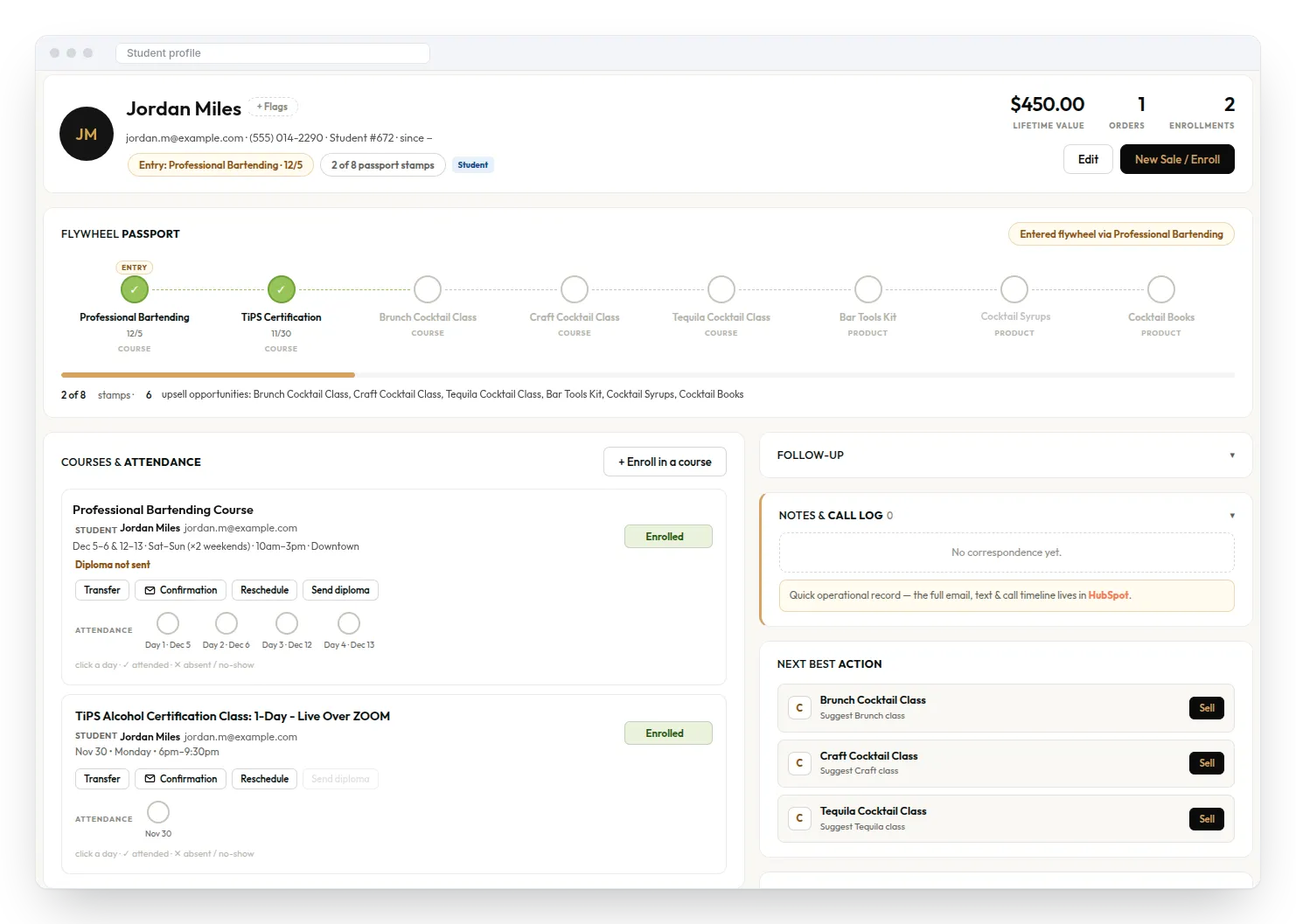
A CRM that brings students, courses, events, orders and follow-ups into one place — and suggests the next course or product to offer each customer.
AI Productivity Enhancement: common questions
Have a question that isn’t here? Ask our team.
How much time can AI productivity tools save?
It depends on the role, but writing-heavy and admin-heavy teams usually see the biggest gains. We measure your baseline in the pilot so you see real numbers before rolling out further.
Is it safe to use AI with company data?
Yes, when it is set up properly. We use business-grade AI services that do not train on your data, connect them only to approved sources, and apply the same access rules your files already have.
Do we need to replace our current tools?
No. We work with what you have, such as Microsoft 365, Google Workspace, Slack or Teams, and add AI on top.
How long until we see results?
Most pilots show measurable time savings within the first 4–6 weeks.
Will our staff need technical skills?
No. If someone can write an email, they can use the assistants. Our training is practical and short.
Related services
AI Solution
AI Tools Implementation
Roll out Copilot, ChatGPT Enterprise or Claude the right way: set up, secured and actually used.
Learn moreAI Solution
AI Workflow Optimization
No more copy-paste between tools. AI moves data, routes tasks and follows up automatically.
Learn moreAI Solution
AI Chatbots & Assistants
Answer customers and staff 24/7 on your website, WhatsApp or Teams, using your own knowledge.
Learn more
Let’s talk about AI Productivity Enhancement.
Tell us about your website, app, AI idea or product. We’ll reply within 1 business day with practical next steps.