AI Solution
AI workflow automation that removes the copy-paste from your day
AI workflow optimization connects the tools your team already uses and lets AI handle the repetitive steps between them — reading documents, entering data, routing requests, sending follow-ups and updating records. People stay in control of decisions, while routine work happens automatically, faster and with fewer errors.
Is this for you?
- Staff re-type the same information into several systems.
- Requests and approvals get stuck in inboxes.
- Invoices, forms and emails are processed by hand.
- Mistakes from manual work cause rework and unhappy customers.
What you get
Everything needed to go from idea to results, delivered by one accountable team.
- 01
Workflow map
A clear picture of each process, its handoffs and where time is lost.
- 02
Automations
Reliable flows that move data and tasks between your systems.
- 03
AI document handling
Read invoices, orders, forms and emails and pull out the right data.
- 04
Human checkpoints
Approvals and reviews where judgement matters, with full audit trails.
- 05
Monitoring
Alerts if anything fails, plus a simple log of every automated step.
Common use cases
Order to invoice
Orders captured, checked and invoiced without manual entry.
Customer onboarding
Forms, documents, accounts and welcome emails handled automatically.
Inbox triage
Emails sorted, summarised and routed to the right person.
Reporting
Data gathered from several tools and compiled into regular reports.
How it works
Clear stages, typical timings and a working result at every step.
Tools and platforms we work with
- 1
Map 1 week
Walk through the process with your team and pick what to automate first.
- 2
Build 2–4 weeks
Create and test automations with real examples.
- 3
Launch 1–2 weeks
Run alongside the old process, then switch over.
- 4
Expand Ongoing
Automate the next process using the same foundations.
Proof it works
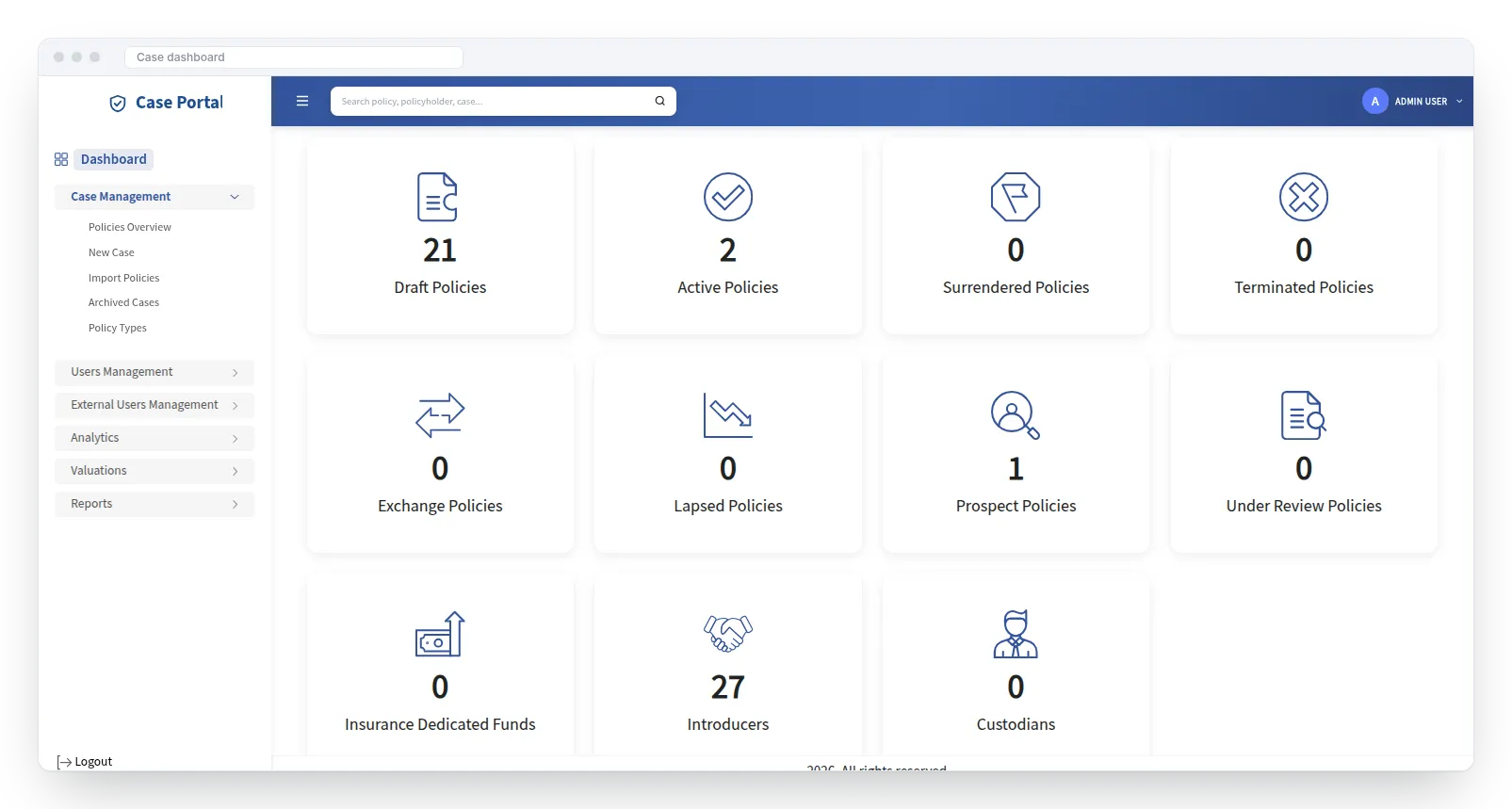
A case-management portal for private placement life insurance where AI reads documents, fills in forms and checks risk, so cases move from application to underwriting faster.
AI Workflow Optimization: common questions
Have a question that isn’t here? Ask our team.
What is AI workflow automation?
It is using software and AI to complete repetitive steps in a business process, such as reading a document, entering data or sending an update, so people don’t have to.
What’s the difference from normal automation?
Normal automation follows fixed rules. AI adds the ability to understand documents, emails and messy information, so far more of a process can be automated.
Which processes should we automate first?
Start with high-volume, rules-based work that causes delays or errors, such as invoice handling, data entry between systems, or request routing.
What happens if the AI makes a mistake?
We add confidence checks and human approval steps. If the AI is unsure, the item goes to a person to review.
Do we need to change our software?
Usually not. We connect the tools you already use.
Related services
AI Solution
AI Process Optimization
Find the slow, costly steps in how work gets done, then redesign them with AI and automation.
Learn moreAI Solution
AI Integration
Connect AI to the systems you already use (CRM, ERP, help desk, e-commerce) without replacing them.
Learn moreAI Solution
AI Productivity Enhancement
AI assistants that draft, summarise and research, so your team spends time on work that matters.
Learn more
Let’s talk about AI Workflow Optimization.
Tell us about your website, app, AI idea or product. We’ll reply within 1 business day with practical next steps.