Engineering Service
Legacy modernization without disrupting your business
Legacy modernization moves old, hard-to-maintain systems onto modern, secure and cloud-ready technology — step by step, so the business keeps running. We assess what you have, choose the right approach for each part (rehost, refactor or rebuild), migrate your data safely and leave you with software that is easier to change and ready for AI.
Is this for you?
- Your core system is slow, fragile and expensive to change.
- Only one or two people understand how it works.
- Security and compliance risks are growing.
- You can’t add modern features or AI on top of it.
What you get
Everything needed to go from idea to results, delivered by one accountable team.
- 01
System assessment
Code, data, infrastructure and risk review with a clear report.
- 02
Modernization roadmap
Phased plan with costs, risks and quick wins.
- 03
Cloud migration
Move to AWS, Azure or Google Cloud with minimal downtime.
- 04
Refactoring and rebuilds
Modern architecture, APIs and user interfaces.
- 05
Data migration
Safe, tested transfer of your business data.
- 06
AI-readiness
Clean APIs and data so AI can be added later.
Common use cases
Desktop to web
Replace old desktop software with secure web apps.
Monolith to services
Split large systems into maintainable parts.
On-premise to cloud
Lower costs and improve reliability.
Old CMS or e-commerce
Upgrade to supported, faster platforms.
How it works
Clear stages, typical timings and a working result at every step.
Tools and platforms we work with
- 1
Assess 2–4 weeks
Understand the current system and its risks.
- 2
Plan 1–2 weeks
Agree approach, phases and success measures.
- 3
Migrate 2–9 months
Deliver in phases, running old and new in parallel where needed.
- 4
Optimize Ongoing
Tune cost, performance and security.
Proof it works
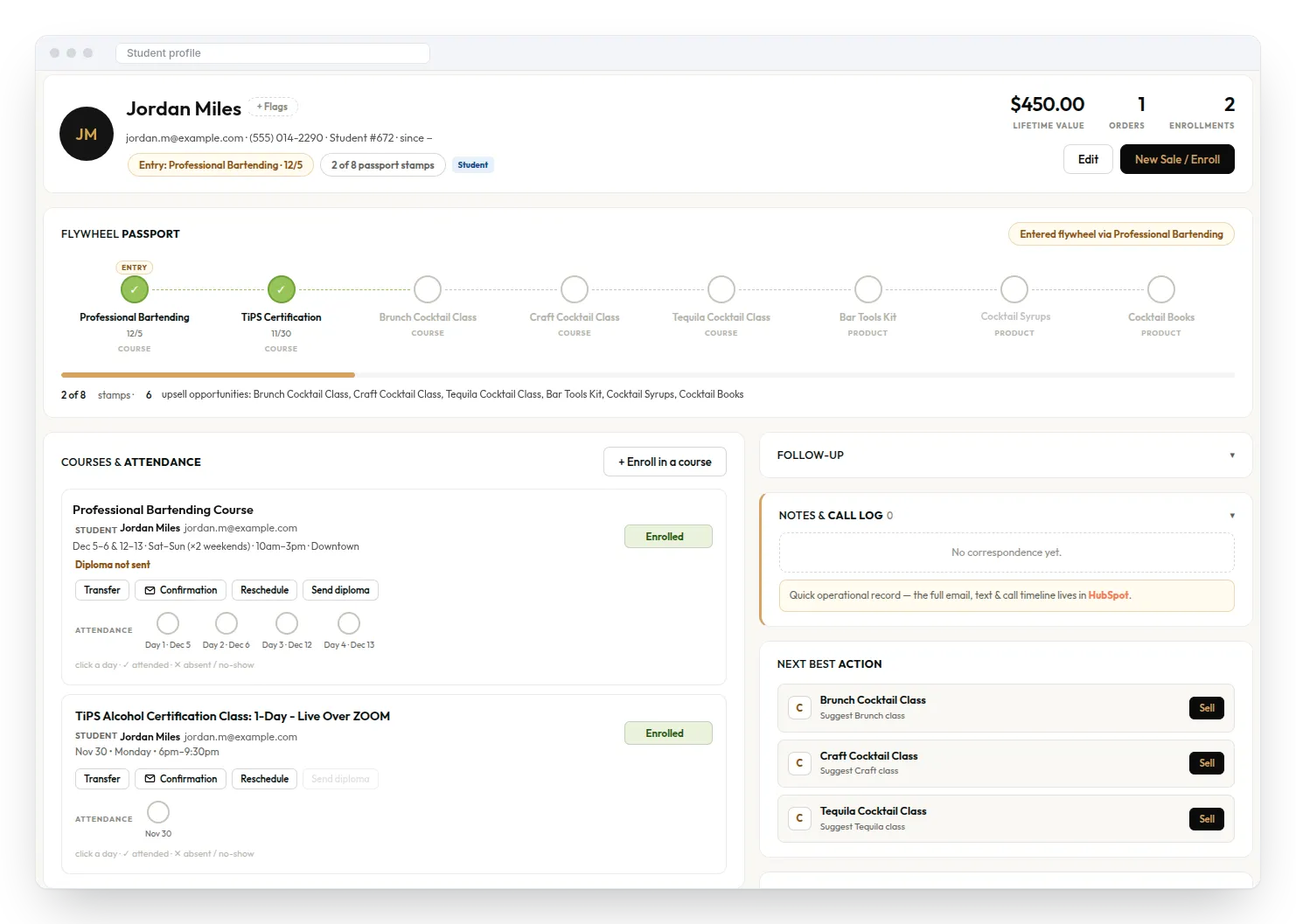
A CRM that brings students, courses, events, orders and follow-ups into one place — and suggests the next course or product to offer each customer.
Legacy Modernization: common questions
Have a question that isn’t here? Ask our team.
What is legacy modernization?
It is updating old software and infrastructure to modern technology so it is secure, reliable, cheaper to run and easier to improve.
Should we rebuild from scratch?
Not always. Often the best approach mixes moving some parts as they are, improving others and rebuilding only what must change. We recommend the lowest-risk path.
Will there be downtime?
We plan migrations to avoid or minimise downtime, often running old and new systems side by side until the switch.
How long does modernization take?
Small systems can move in weeks; larger platforms are modernised in phases over several months, with value delivered at each stage.
Can you modernise a system without documentation?
Yes. Our assessment includes reverse-engineering and documenting how the current system works.
Related services
Engineering Service
Application Maintenance (DR + HA)
Monitoring, updates, disaster recovery and high availability, so your systems stay up.
Learn moreAI Solution
AI Integration
Connect AI to the systems you already use (CRM, ERP, help desk, e-commerce) without replacing them.
Learn moreEngineering Service
Web & Mobile App Development
Custom web apps, portals and iOS/Android apps, built to scale with your business.
Learn more
Let’s talk about Legacy Modernization.
Tell us about your website, app, AI idea or product. We’ll reply within 1 business day with practical next steps.